


ULT College Basketball Coach
4.042.00 Reviews
App Specs
- Version
- 1.0.0
- Updated On
- License
- Free
- Downloads
- 10,000+
- Developer
- Games2rk
- Categories
- Sports
- Platform
- Android
Screenshots
 Analysis by AppCompare
Hey there, basketball enthusiasts! If you're anything like me, you've probably spent countless hours dreaming about managing your own college basketball team. Well, with ULT College Basketball Coach, that dream is just a tap away. I’ve been diving deep into this app, and I’m here to spill all the beans about what makes it tick—and why you might find yourself hooked.
When a quick check-in suits the pace
This is a sports management game, not the sort of basketball app I’d open for a brief burst of on-court action. Its appeal is in thinking about a college program and the choices around it. That makes it a better fit for a quiet break when you can focus on team decisions than for a moment when you want a fast arcade match and immediate controls.
I’d approach the pace with modest expectations: the game is built around management and strategy, so the interesting part is weighing choices rather than judging it by how quickly it throws action at you. If you have only a few minutes, it may be more satisfying to look over one part of your program than to expect a complete, dramatic coaching session every time you launch it.
A useful rhythm for ordinary play
One realistic way to fit it into a day is to check in during a commute break or while relaxing at home, make a considered team or tactical decision, then put it away. I wouldn’t treat it as something that needs constant attention. The coaching premise gives the session a clear focus, while the management side is most enjoyable when you have enough attention to think through what you want your team to do.
A small practical tip is to decide what you’re trying to improve before you start browsing options. If you go in with one question in mind—such as whether your roster or your approach needs attention—you can keep a session purposeful instead of clicking around without a plan. That habit is especially useful in management games, where a menu can invite more tinkering than a short break allows.
Who will enjoy coaching, and who may not
I’d recommend this to basketball fans who like thinking beyond the final score and enjoy the idea of shaping a college program. It may also suit players who prefer planning and roster decisions to rapid reflex challenges. The game is free to start, and its Everyone age rating makes it broadly approachable, but that doesn’t mean its management focus will appeal to every player.
If you mainly want to control athletes directly in a lively match, a conventional basketball action game is probably a better choice. If your favorite part of the sport is following a season, considering personnel, and adjusting a plan, this is closer to your taste. That distinction matters: the coaching fantasy is the draw, not a promise that it plays like a full console-style court simulation.
Worth Reading Before You Choose

Baby Panda World Brings Quick Play to Modern Phones, but Its Game Library Feels Busy

ESPN’s Live Game View Makes Following Close Games Easier

QuizzLand Review: A Good Fit for Short Trivia Breaks, Not Every Player

Basketball Stars: Multiplayer Is Fast, but Can It Recover When Matches Go Wrong?

WEBTOON Turns Phone Updates Into a Better Reading Routine

Link to Windows Runs on Shared Habits, Not Social Feeds
What to expect from a mobile sports sim
Compared with a typical mobile basketball game centered on quick matches, this one asks you to care about the decisions around the team. That gives it a different kind of replay appeal, but it also means the experience depends on whether you enjoy managerial detail. I’d choose it over a score-chasing arcade game when I want to think through a program; I’d choose the arcade option when I want uncomplicated action.
There’s also a trade-off in how much detail feels rewarding. A fan who likes comparing players and considering tactics may welcome the extra thought, while someone who wants every choice to have an obvious, immediate payoff could find the pace less exciting. I’d give the game a fair chance by focusing on the coaching decisions that interest you most rather than expecting every part of a season to feel equally compelling.
Game Basics: What’s the Hype?
So, let’s get into the nitty-gritty. ULT College Basketball Coach is a simulation game that puts you in the shoes of a college basketball coach. Your mission, should you choose to accept it, is to build a team, strategize plays, and lead your squad to the championship. Sounds pretty straightforward, right? But trust me, there’s a lot more to it than meets the eye.
Building Your Dream Team
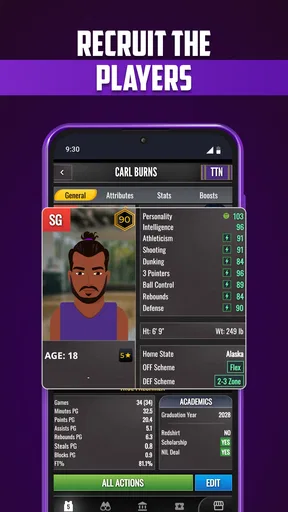
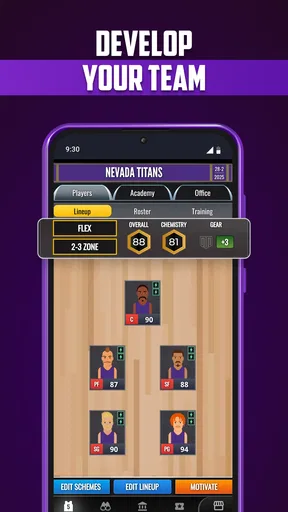
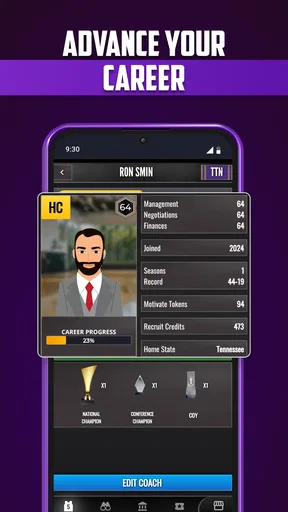
First off, let’s talk about team management. You start with a roster of players, each boasting unique skills and attributes. It’s your job to scout for talent, recruit new players, and make tough decisions about who hits the court. The recruitment process is surprisingly detailed, and I found myself getting unexpectedly invested in scouting reports and player stats. It’s a bit like fantasy basketball, but with higher stakes.
One way I’d make roster decisions less overwhelming is to compare players in relation to the job you need done, rather than treating every impressive-looking stat as equally important. A recruit who fits a gap in your team can be more useful than one who simply looks appealing on paper. It’s a good reminder that scouting is not only about collecting talent; it’s about building a group that supports the way you want to play.
That focus also helps when you’re deciding how much time to spend on recruitment. If you’re a casual player, you can keep an eye on the information that affects your immediate plans instead of trying to analyze everything at once. If the satisfaction of the game for you is in constructing a long-term program, then taking a more careful look at scouting and player attributes is likely to be part of the fun.
Game Strategy: More Than Just X’s and O’s
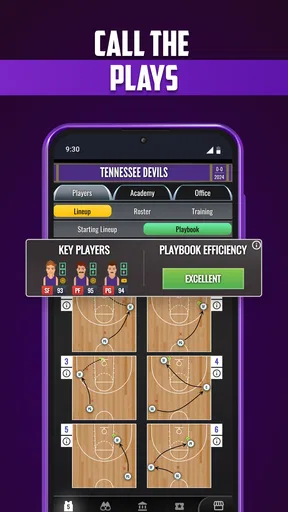
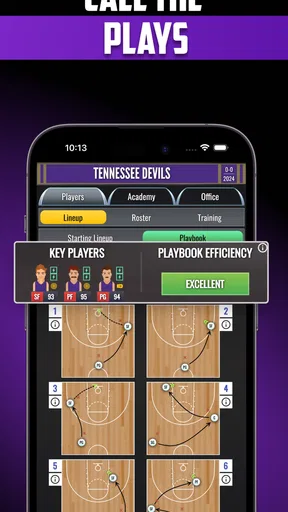
Once you’ve assembled your team, it’s time to hit the court. The game’s strategy element is where it really shines. You’ll need to set up your offensive and defensive plays, manage substitutions, and adjust tactics on the fly. Every decision can impact the outcome of the game, and I found myself on the edge of my seat as I watched the drama unfold. The level of detail in the playbook is impressive, and it’s a basketball nerd’s paradise.
For a more thoughtful session, I’d avoid changing several things at once. When a game doesn’t go the way you hoped, make one adjustment and see whether it addresses the problem before reshaping your whole approach. That’s a useful coaching habit in a simulation: it gives your decisions a purpose and makes the result easier to interpret, instead of leaving you unsure which change mattered.
There’s a natural tension here between preparation and reacting. Setting a plan can be satisfying, but the appeal is stronger if you enjoy considering what to change as a game develops. Players who would rather set a lineup once and watch without engaging may not get as much from the tactical side. I’d treat substitutions and strategy as the heart of the experience, not as chores to rush through.
Graphics and User Interface
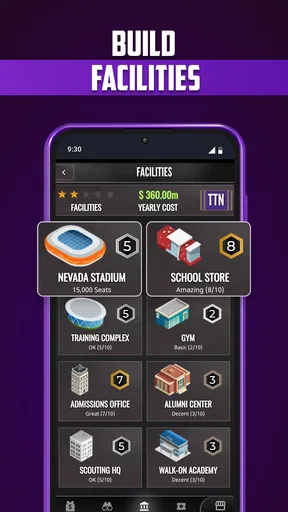
Now, let’s talk visuals. The graphics aren’t exactly cutting-edge, but they’re clean and functional, which is really all you need for a sim game like this. The user interface is intuitive, making it easy to navigate through menus and manage your team. There’s a certain charm to its simplicity, and I appreciated not being bombarded with unnecessary bells and whistles.
That straightforward presentation is a practical advantage when you’re checking in briefly: a management game is easier to enjoy when the menus keep the focus on your team rather than competing for attention. Still, simple visuals are a matter of taste. If you’re looking for a highly detailed broadcast-like presentation or spectacle as the main attraction, this isn’t the direction I’d choose; its appeal is more in the decisions than in visual showmanship.
Engagement and Replayability
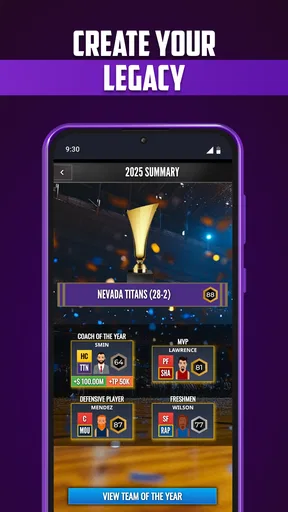
One of the things I love most about ULT College Basketball Coach is its replayability. Every season offers new challenges, and no two games are ever quite the same. Whether you’re tweaking your strategy or dealing with a player’s injury, there’s always something to keep you engaged. I’ve found myself coming back to it time and again, eager to see if I can lead my team to victory.
Replayability is most convincing when you set yourself a different coaching aim instead of repeating the same routine. You might focus on making more deliberate recruitment choices in one run, then pay closer attention to game tactics in another. That gives returning sessions a personal purpose and helps prevent the management loop from feeling like a checklist.
For everyday use, I’d also keep expectations flexible. A season-based sports sim can be something you revisit when you’re in the mood to plan, rather than a game that demands a long uninterrupted session. If you prefer short, self-contained matches that always feel complete in a few minutes, that more immediate format may suit you better.
Reliability and device expectations
ULT College Basketball Coach is by Games2rk, and its current version is 1.0.0. It is free to download, with optional in-app purchases priced from $0.99 to $37.99 per item. I’d treat those purchases as a personal choice rather than a requirement: the basic appeal is the coaching game itself, and you can decide whether any paid option is worth it to you as you play.
The game supports Android 7.0 and later. That gives readers with an older compatible Android version a clear starting point, but the operating-system requirement alone can’t tell you exactly how smoothly it will run on your particular phone. A sensible approach is to try it on your own device before committing much time or money. I wouldn’t assume a recent, powerful handset is necessary, nor would I promise identical performance across every device.
When returning to a management game, I’d make a habit of checking where I left off and whether my latest decision took effect before making another change. That’s a useful way to avoid confusion in any game built around several connected choices. If an interruption happens, reopening the game and orienting yourself before continuing is safer than tapping through menus quickly and trying to remember what you intended to do.
Monetization and In-App Purchases
Okay, let’s address the elephant in the room: in-app purchases. Like many mobile games, ULT College Basketball Coach offers a variety of purchases to enhance your experience. While you can play and enjoy the game without spending a dime, there are tempting options to fast-track your progress or unlock special features. It’s all about personal preference, but I found that the game is perfectly enjoyable without opening my wallet.
My practical advice is to play long enough to decide whether the coaching loop is genuinely for you before considering a purchase. Optional spending is easier to judge once you know what kind of progress you value, and setting a personal limit beforehand can keep a free game from turning into an impulse buy. With individual items ranging from $0.99 to $37.99, I’d be especially cautious about spending just because an option is presented at a tempting moment.
The game has a 4.0 average from around 176 ratings, with 42 written reviews and over 10,000 installs. It was released on November 27, 2024, and is rated Everyone. Those figures are useful context, but they don’t replace trying the game yourself: what matters most is whether you enjoy the particular mix of college-team management and basketball tactics.
My performance verdict
In performance terms, I’d judge this one by how comfortably its menus and coaching decisions fit into my routine, rather than expecting a high-speed action game. It is a sports simulation, so the value comes from thoughtful interaction. I would not claim that every phone will feel equally responsive; device age, available resources, and the way a session unfolds can all affect the experience. If it feels sluggish on your handset, closing other demanding apps and trying again is a reasonable first step, not a guarantee.
Stability matters most when you’ve invested time in a season and a tactical plan. I’d avoid rushing through several decisions at once, and after returning from an interruption I’d take a moment to confirm the state of my team before carrying on. That is less about assuming a problem and more about protecting your own attention in a game where small choices build on one another.
In conclusion, ULT College Basketball Coach is a slam dunk for anyone who loves basketball and enjoys management sims. It’s got depth, strategy, and enough twists to keep you on your toes. Whether you’re a seasoned coach or just looking for a fun way to pass the time, this app is worth checking out. So, lace up those sneakers, grab your clipboard, and get ready to lead your team to glory!
My recommendation comes with one clear caveat: choose it for the coaching decisions, not because you expect a glossy, fast-moving basketball spectacle. If you enjoy weighing recruits, shaping tactics, and returning to see how your program develops, the game has a distinct reason to stay on your phone. If you want direct court control or a quick arcade match, another kind of basketball game will be a better use of your time.
Pros
- User-friendly interface for easy navigation.
- Comprehensive training drills and tactics.
- Real-time game simulation for strategy testing.
- Detailed player stats and scouting reports.
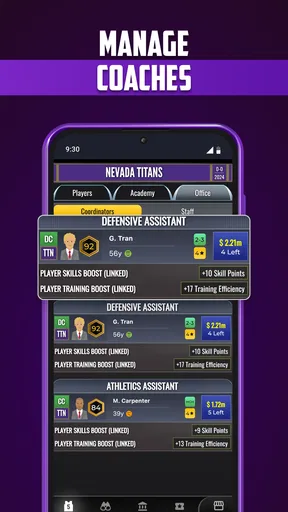
- Customizable team management options.
Cons
- Limited customization for team uniforms.
- In-app purchases can be costly.
- Occasional lag in multiplayer mode.
- Requires constant internet connection.
- Some features locked behind paywall.
FAQs for ULT College Basketball Coach
What is ULT College Basketball Coach?
ULT College Basketball Coach is a simulation game that allows players to step into the shoes of a college basketball coach. The game provides an immersive experience where you manage team strategies, recruit players, and lead your team to victory in tournaments. It’s available for both Android and iOS platforms.
What are the main features of the game?
The game offers a range of features, including in-depth team management, realistic game simulations, and strategic recruiting. You can also customize your team’s play style, compete in national tournaments, and track player development over seasons. These features make it engaging for basketball enthusiasts and strategy game fans alike.
Are there any in-app purchases?
Yes, ULT College Basketball Coach includes in-app purchases. While the game is free to download, certain features and enhancements, such as advanced strategies or exclusive player unlocks, may require additional payment. These purchases are optional and designed to enhance the gaming experience.
Is ULT College Basketball Coach suitable for all ages?
The game is generally suitable for basketball fans of all ages, but it’s most engaging for teens and adults who appreciate strategy and sports management. The content is family-friendly, with no graphic violence or inappropriate themes. It focuses on strategic thinking and decision-making skills.
Can I play ULT College Basketball Coach offline?
ULT College Basketball Coach requires an internet connection for certain features, such as accessing leaderboards and syncing progress. However, many aspects of the game, like managing your team and playing through seasons, can be enjoyed offline. For the best experience, a stable internet connection is recommended.


